


Overflow answering service
“Please hold” doesn’t sound great.
When your line is busy or a call goes unanswered, Our Secretary can pick up with the greeting and rules you set. It can answer approved questions, book an available appointment, or capture a clear callback request so your team can stay with the person already in front of them.


A busy line should have a next step
A customer calls while your team is on another call or helping someone at the counter. With busy or no-answer forwarding configured, Our Secretary can handle the call using your rules instead of leaving the caller with no clear next step.
One call, start to finish.
A fictional business and caller, so you can compare it with how your own line works today.
Faucet replacement estimate
- Caller
- Nina Cole
- Callback
- (407) 555-0142
- Address
- 418 Alder Street, Orlando, FL
- Appointment
- Thu, June 11 · 9:30 AM
After the call, your team sees the booked estimate and call record in the dashboard.
How phone answering works →When the calendar has no fit
If no configured slot fits, Our Secretary can collect the caller’s preferred times and create a callback task for your team. If a live transfer is part of your rules but the destination does not answer, it can take a message and create a callback task instead.
Water heater estimate callback
- Caller
- Jada Bell · (407) 555-0186
- Request
- Water heater estimate · 82 Juniper Lane
- Preferred time
- Friday afternoon
Same caller. Two setups.
The “theirs” half is a dramatization. The Our Secretary half will use real product audio from a configured test workspace.
“Please hold” doesn’t sound great.
When three lines ring at once, somebody waits, and plenty of them hang up. Our Secretary answers each call as it comes in, so nobody sits on hold while your team finishes with the customer in front of them.
Thanks for calling, can you hold?…two minutes later…
Sorry, other line. Hello? Are you still there?
 Monday morning · 9:10 AM
Your rules. Your call.
Everything below lives in your dashboard. Change it any time, then place a test call before it goes live. How setup works →
- Choose forwarding rules
Use a new number or forward your existing business number. Where your carrier supports it, choose all calls or only busy, unanswered, or after-hours calls.
- Set greeting and hours
Write the greeting callers hear and set your open hours, closures, and call-handling rules. You can update them as your schedule changes.
- Add approved answers
Import information from your website or documents, or add it manually. If Our Secretary cannot verify an answer, it takes a message and creates a callback task rather than guessing.
- Connect booking and handoffs
Connect Google Calendar, Cal.com, or an eligible paid Calendly account, then set services, durations, staff assignments, and transfer destinations. Test busy and no-answer handling with calls to your business line; forwarding can be reversed.
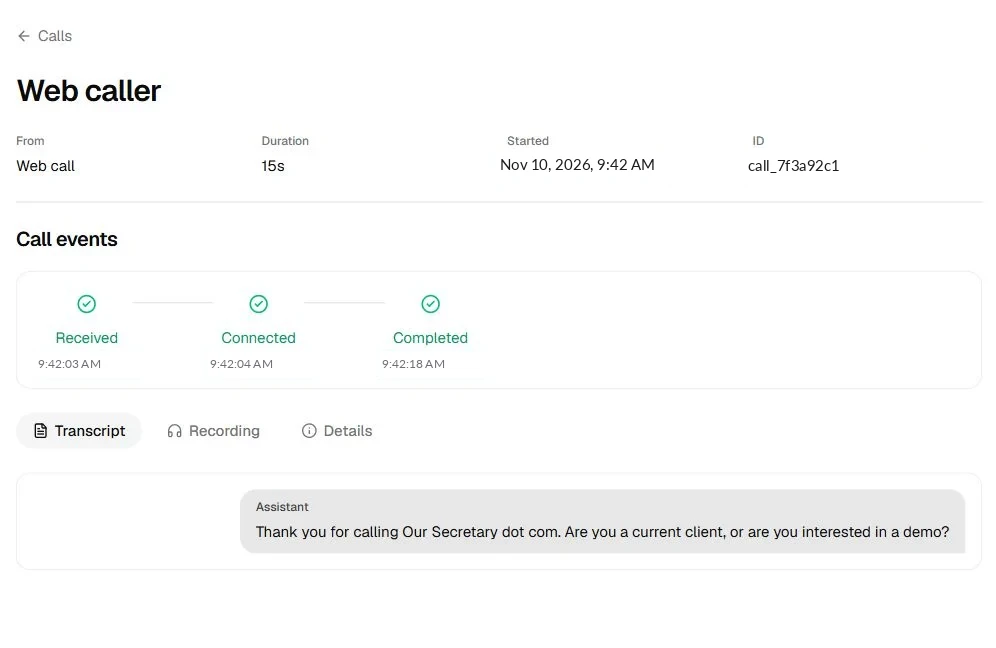
What lands on your desk.
A clear call outcome
Review call history, outcomes, transcripts, and recordings where enabled, along with caller and appointment details.
Callback tasks with context
See the caller’s request, contact details, and preferred timing in a task. Your team can mark it complete in the dashboard.
Alerts for follow-up
Receive email alerts for tasks. SMS text alerts are available where consent, carrier support, and your package allow.
Questions owners ask
Straight answers about how it works on your line.
Can we keep using our current business number?
How do we test busy and no-answer handling?
What does it need to book an appointment?
What if it can’t answer a caller’s question?
Your next question.

Your business can sound this good too.
Set your busy and no-answer rules, then place a test call from your business line. Our Secretary gives overflow callers a clear next step while your team is occupied.
