


AI receptionist for HVAC companies
Your HVAC company can sound this good too.
When the first cold snap hits, calls for no heat can arrive while your crew is already on the road. Our Secretary asks what equipment the caller has and what’s happening, then follows your rules: book maintenance or route an on-call request to your team.


A cold snap fills the call queue
A caller needs to explain the equipment and the problem before your team can decide what happens next. Routine maintenance belongs on the calendar; a no-heat call may need your approved on-call handoff.
One call, start to finish.
A fictional business and caller, so you can compare it with how your own line works today.
On-call transfer
- Caller
- Maya Torres · (407) 555-0142
- Equipment
- Gas furnace
- Issue
- Stopped starting around 7 PM
- Service address
- 18 Alder Street
- Handling
- On-call transfer requested
Northline’s configured on-call rule routes the request to its on-call destination. The receptionist gathers details and hands off the call; it does not troubleshoot.
How phone answering works →When the calendar has no fit
If a maintenance slot is unavailable, your receptionist can offer another configured opening or take a callback request for your team.
Maintenance callback requested
- Service
- Seasonal furnace maintenance
- Requested timing
- Friday morning; another opening requested
- Next step
- Your team to call back
Your rules. Your call.
Everything below lives in your dashboard. Change it any time, then place a test call before it goes live. How setup works →
- Set call handling rules
Choose the greeting, business hours, closures, and what happens with maintenance, no-heat, and other calls.
- Define intake questions
Choose what your receptionist asks about equipment, the reported issue, address, callback number, and timing.
- Configure on-call routing
Set which calls can transfer to an on-call destination and what happens if no one answers. An unanswered transfer becomes a callback task.
- Connect your calendar
Connect Google Calendar, Cal.com, or an eligible paid Calendly account. Configure maintenance services, durations, staff, and actual availability.
- Choose number handling
Use a new number or forward your existing number. Carrier support determines whether you can forward all calls or only missed, busy, or after-hours calls.
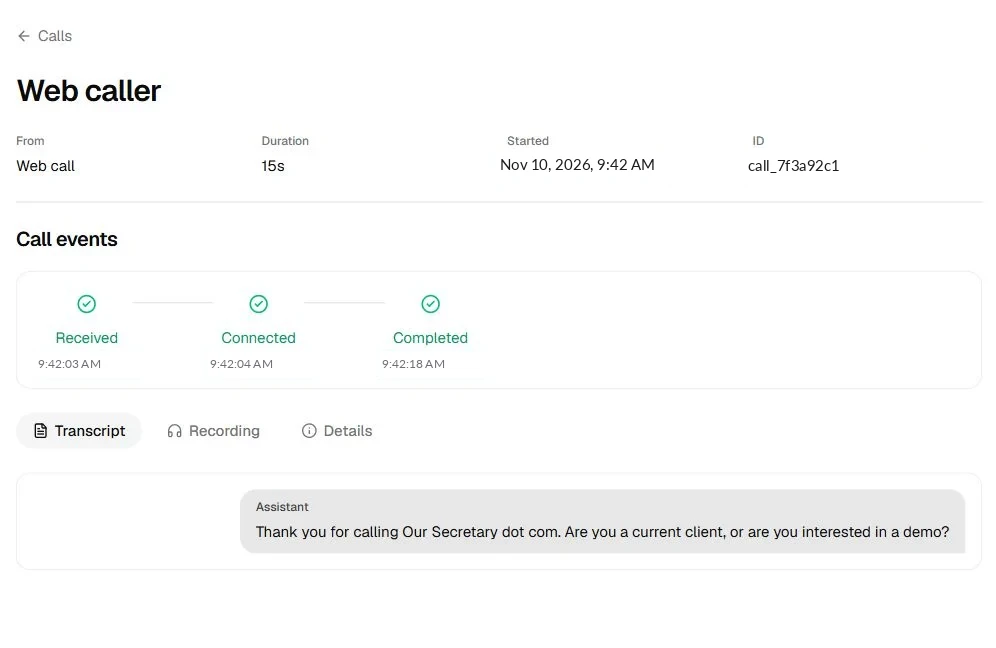
What lands on your desk.
Call details
Review the caller’s name, callback number, equipment, reported issue, address, and requested timing in the dashboard.
Clear next steps
See booked maintenance, callback tasks, and transfer outcomes so your team can follow up.
Call history
Find outcomes and transcripts, plus recordings where enabled. Your team can mark tasks complete in the dashboard.
Questions owners ask
Straight answers about how it works on your line.
Can Our Secretary work as an HVAC answering service after hours?
How does it tell maintenance calls from on-call requests?
Can it book maintenance appointments?
Can I forward my existing HVAC business number?
Your next question.
 Back to Home servicesHome servicesRead more →The workflowOverflow answering
Catch busy and unanswered calls, then test the forwarding path before you rely on it.
Read more → The feature you set upPhone answering
A friendly first response, routine answers, and a clear next step for each caller.
Read more → Also in Home servicesElectrical
Estimate intake for electricians, with staff-approved routing for hazard reports.
Read more →Your HVAC company can sound this good too.
Set your HVAC call rules, maintenance calendar, and on-call handoff in Our Secretary. Then choose how calls reach it.