Sounds great on the phone, shows up in your calendar
AI receptionist integrations
Connect it, then let it book.
Phone, calendar and alerts are the three connections most businesses need. Each one below says what it reads, what it writes and what you need first.

Incoming call
☎“Can you book me for Thursday?”
Our Secretary
✓Booked. Event added to Google Calendar.
What connects
Four groups. Plain-English details.
Phone
How calls reach Our Secretary.
- Dedicated numberA number from Our Secretary for your business. Plans include one; Enterprise supports multiple.
- Forwarding from your lineForward all calls, unanswered or busy calls, or after-hours calls from your existing carrier. Options depend on your carrier.
- TransfersSends inbound calls to the staff numbers you list, following your rules.
Calendars
Reads availability and writes the booked appointment.
- Google CalendarReads free/busy times on the calendars you choose and creates events for bookings.
- Cal.comUses your event types and availability, and creates the booking.
- CalendlyEligible paid accountUses your event types and availability, and creates the booking.
Notifications
Sends the call outcome to your team.
- Email alertsCall summaries, messages and callback tasks sent to the addresses you choose.
- Text (SMS) alertsConsent requiredShort alerts to staff mobiles and, where enabled, caller confirmations.
Workflow connections
Send call data onward to the tools you already use.
- WebhooksWhere includedPosts call outcomes to an address you control.
- ZapierWhere includedConnects call outcomes to other apps through Zapier.
Text messaging depends on recipient consent, carrier rules and your plan. Notifications are one-way alerts, separate from two-way texting.
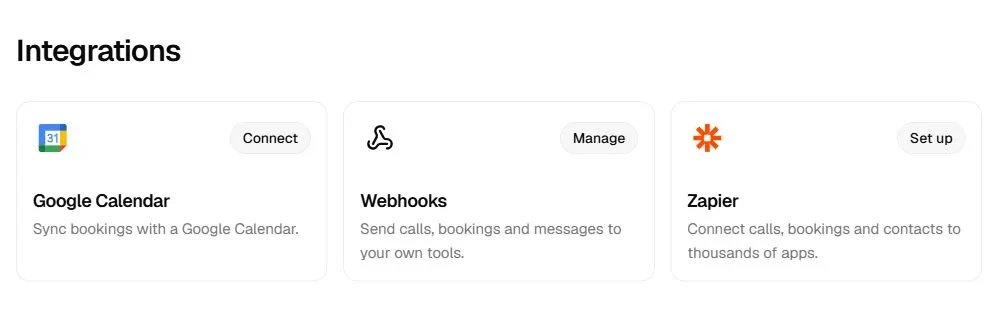
In your dashboard
Connect in a few clicks.
Sign in to the account you want to connect, choose what Our Secretary can see, then place a test booking. You can disconnect at any time.
FAQ
Questions owners ask
Straight answers about how it works on your line.
Do I need a calendar to use Our Secretary?
No. Without a calendar it can still answer questions, take messages, create callback tasks and transfer calls.
What does Calendly require?
Calendly connections require an eligible paid Calendly account.
Can callers get a text confirmation?
Where text messaging is enabled for your account and the caller consents, Our Secretary can send a confirmation. Availability depends on carrier rules and your plan.
Connect it, then let it book.
Start free, connect your calendar and place a test booking this afternoon.