


AI receptionist for tax preparers
Your tax office can sound this good too.
Ten days before the filing deadline, calls can stack up while your team is with clients. Our Secretary asks whether someone is a new client seeking a consultation or a returning client booking a tax appointment, then routes document questions to the preparer instead of guessing.


Deadline-week calls need a clear first question
When seasonal calls arrive together, your team needs to know whether a caller is seeking a first consultation or a returning-client appointment. Document questions belong with the preparer, not an unverified answer from the receptionist.
One call, start to finish.
A fictional business and caller, so you can compare it with how your own line works today.
Returning-client tax appointment
- Caller
- Dana Cole · (407) 555-0186
- Service
- Returning-client tax appointment
- Time
- Tuesday · 10:30 AM
- Location
- 1842 Willow Creek Ave, Orlando, FL
- Follow-up
- Document question routed to preparer
Your team sees the appointment and a callback task with context for Dana’s document question. The call does not collect tax-document details.
How appointment booking works →No consultation slot fits
If the connected calendar has no suitable opening, Our Secretary can offer available alternatives or take a callback request. It records the caller’s preferred timing and contact details for your team.
New-client consultation request
- Caller
- Morgan Lee · (407) 555-0127
- Preferred timing
- Friday afternoon
- Next step
- Team to follow up about consultation availability
Your rules. Your call.
Everything below lives in your dashboard. Change it any time, then place a test call before it goes live. How setup works →
- Separate appointment types
Configure new-client consultations and returning-client tax appointments as distinct services. Set durations, staff assignments, and the calendar each should use.
- Connect your calendar
Connect Google Calendar, Cal.com, or Calendly and set real availability. Calendly requires an eligible paid account.
- Set document-question rules
Tell Our Secretary to route document questions and requests for tax guidance to your team. It can answer routine office questions from approved information and take a message when it has no verified answer.
- Choose call coverage
Set greeting, office hours, seasonal closures, and transfer rules. Use a new number or forward your business number, where carrier support allows; forwarding can be tested and reversed.
- Choose team alerts
Set where callback tasks and appointment updates go. Email alerts are available; SMS alerts depend on consent, carrier, and package.
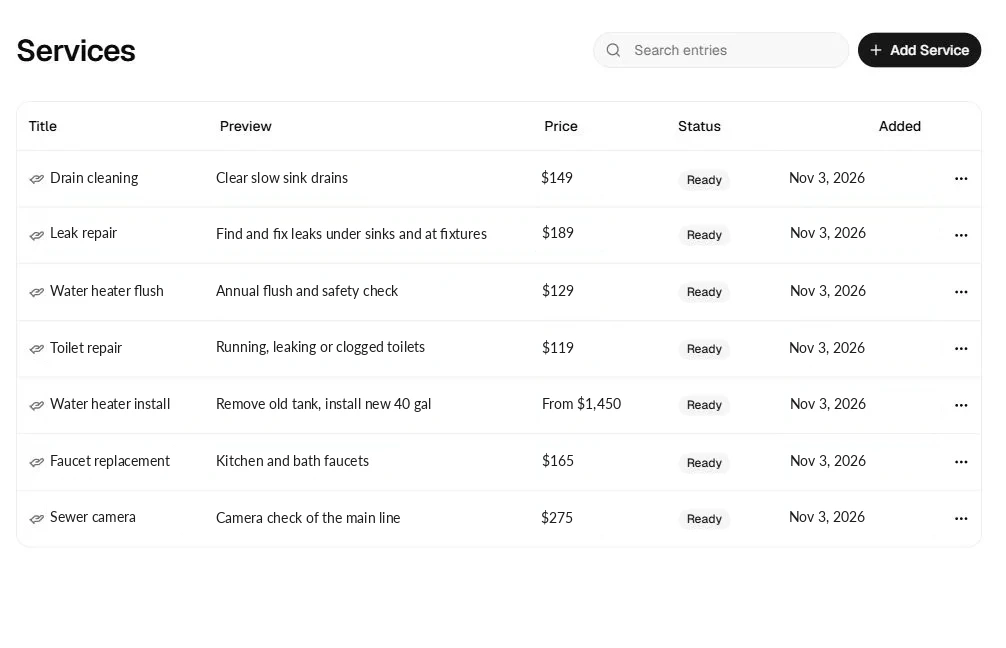
What lands on your desk.
Appointments by caller type
See whether a booking is for a new-client consultation or a returning-client tax appointment, along with its time and configured service.
Document questions for follow-up
Review callback tasks with the caller’s contact details and the reason for the follow-up, without collecting tax-document details in the intake.
Call context in one place
Review call outcomes, transcripts, contacts, appointments, and tasks in the dashboard. Recordings are available where enabled.
Questions owners ask
Straight answers about how it works on your line.
Can callers choose between a consultation and a returning-client appointment?
What happens when the calendar has no suitable time?
Can I forward calls from my current office number?
How are document questions and team alerts handled?
Your next question.
 Back to Professional servicesProfessional servicesRead more →
 The workflowOverflow answering
Catch busy and unanswered calls, then test the forwarding path before you rely on it.
Read more → The feature you set upAppointment booking
Let callers choose a service, check real availability, and book during the call.
Read more → Related industryAccounting & bookkeeping
Separate new bookkeeping inquiries from existing-client callbacks, even during month-end close.
Read more →Your tax office can sound this good too.
Set up separate paths for new-client consultations and returning-client appointments before the deadline rush. Our Secretary can book configured openings and send document questions to your team.
