


Automate routine customer phone questions
Hours, parking, prices. Answered, every time.
Your receptionist can answer questions about hours, services, parking, and policies using information your team has approved. When a caller asks something outside that source, Our Secretary says it does not have a verified answer and sends your team a callback task with the question and caller details.


A simple question can still need a person
Your team may be busy when a caller asks about opening hours, listed services, or a policy detail. Our Secretary answers from information you approve, and routes questions it cannot verify to your team instead of guessing.
One call, start to finish.
A fictional business and caller, so you can compare it with how your own line works today.
Confirm old-unit removal
- Caller
- Dana Brooks
- Callback
- (212) 555-0142
- Address
- 18 Alder Street
- Question
- Does Larkspur Plumbing take away the old water heater?
- Related service
- Water heater installation
The hours and installation details come from approved business information. The unlisted removal policy becomes a callback task, not a guess.
How business knowledge works →When an answer needs your team's review
If a question is unclear or the relevant detail is not in the approved information, Our Secretary can take the caller's details and pass along the question. Your team can follow up with the right answer.
Review delivery arrangement
- Caller
- Morgan Lee
- Callback
- (312) 555-0186
- Context
- Asked about leaving a replacement water heater in the side entry
Your rules. Your call.
Everything below lives in your dashboard. Change it any time, then place a test call before it goes live. How setup works →
- Add approved answers
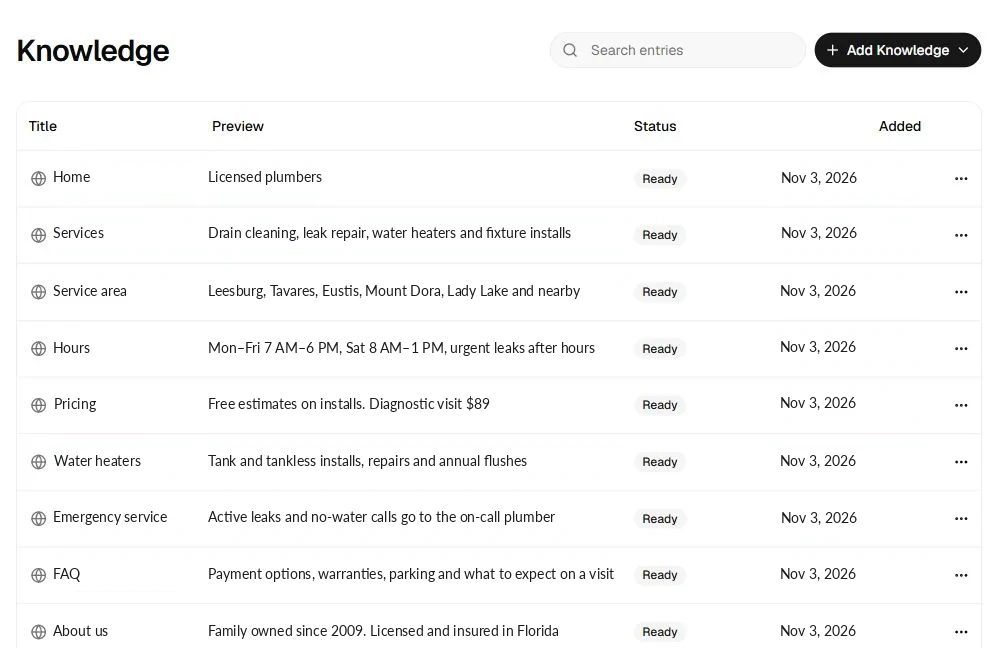
Import your website, add documents, or enter details manually. Include current hours, services, parking instructions, and policies your team is ready to share.
- Set call handling rules
Choose the greeting, closures, and what your receptionist should do when it cannot verify an answer. Set where calls should go when a live handoff is appropriate.
- Choose callback details
Decide what your receptionist should collect, such as the caller's name, callback number, address, and reason for calling.
- Set alert preferences
Choose how your team receives task alerts. Email is available; SMS alerts depend on package and carrier, and require the caller's consent where applicable.
- Test your call routing
Use a new number or forward your existing business number. Forwarding options depend on carrier support, and you can test and reverse forwarding.
What lands on your desk.
The caller's question
See the detail Our Secretary could not verify, alongside the related service or reason for calling.
Useful callback context
Review the caller's name, number, address when collected, and the conversation transcript in the task.
A task to follow up
Your team can review the request and mark the task complete in the dashboard after responding.
Questions owners ask
Straight answers about how it works on your line.
Where do the answers come from?
What happens when it cannot confirm an answer?
Can it book an appointment after answering a question?
Can I use my existing business number?
Your next question.

Your business can sound this good too.
Put approved answers to work while your team is busy. Let Our Secretary pass the unanswered question along with the context to follow up.
