


Book appointments when staff are busy
Hands full? It books anyway.
When your team is on a job or helping someone in person, callers can ask for an open time and book from the services you configure. Our Secretary checks your connected calendar, confirms the appointment details aloud, or offers another slot and records a callback request when none fit.


An availability question shouldn’t wait
A caller needs a real answer while your team is on a job or helping someone in person. If nobody can check the calendar, a good time to book can turn into a missed opportunity.
One call, start to finish.
A fictional business and caller, so you can compare it with how your own line works today.
Standard cleaning booked
- Customer
- Maya Chen
- Service
- Standard two-bedroom cleaning
- Appointment
- Tuesday, 9:30 a.m.
- Address
- 1842 Wren Street
- Callback number
- (407) 555-0142
Your team sees the confirmed appointment and the caller’s service, time, address, and callback number.
How appointment booking works →When no opening fits
If the calendar has no suitable time, Our Secretary can offer available alternatives or take a callback request. Your team sees the request and can follow up; a callback request is not a confirmed appointment.
Tuesday opening requested
- Customer
- Lena Ortiz
- Service
- Standard cleaning
- Callback
- (407) 555-0188 · Tuesday morning request
Your rules. Your call.
Everything below lives in your dashboard. Change it any time, then place a test call before it goes live. How setup works →
- Connect a calendar
Connect Google Calendar, Cal.com, or Calendly so Our Secretary can check availability. Calendly requires an eligible paid account.
- Define bookable services
Add the service names and durations callers can book. Keep the options clear so callers can ask for the right appointment.
- Assign your team
Set which staff members handle each service. Our Secretary uses those assignments when checking appointment availability.
- Set hours and rules
Configure your greeting, business hours, closures, and call-handling rules. Choose what should happen when no suitable time is available.
- Choose how calls arrive
Use a new number or forward your existing business number. Forwarding options depend on carrier support, and forwarding can be tested and reversed.
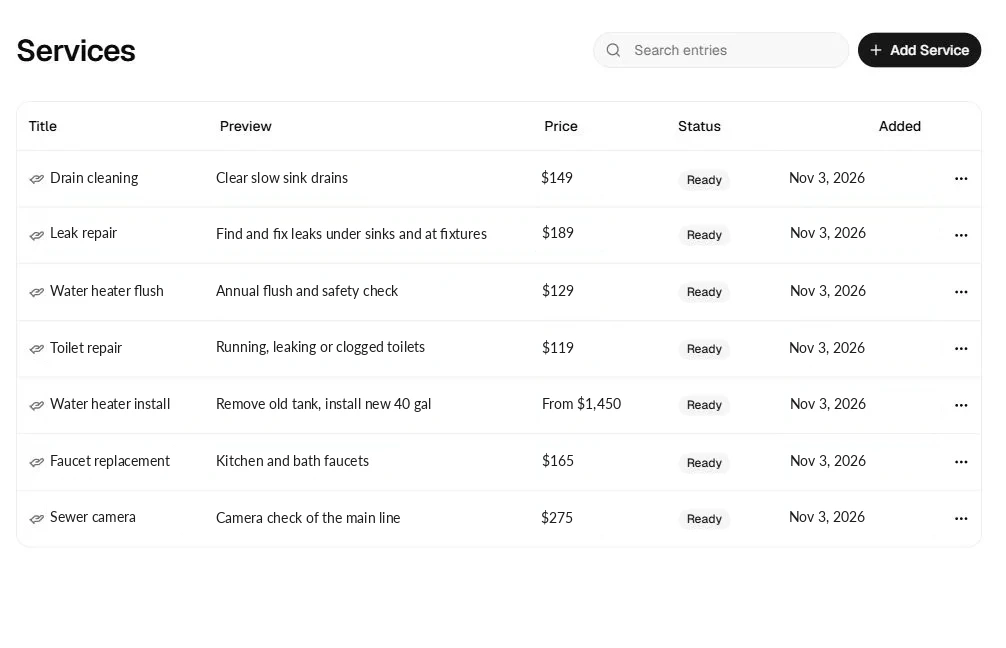
What lands on your desk.
Confirmed appointments
See the booked service, time, caller details, and any configured staff assignment.
Callback requests
Review the caller’s preferred timing and reason for reaching out when no available slot fits.
Call records
Review call outcomes and transcripts, with recordings where enabled, alongside appointments and tasks.
Questions owners ask
Straight answers about how it works on your line.
What does Our Secretary need to book an appointment?
Which calendars can I connect?
What happens if no time works?
Can it answer calls on my current business number?

Your business can sound this good too.
Connect your calendar and set the services and hours you want callers to book. Our Secretary can check the next availability call while your team is busy.
