


AI receptionist for pest control
Your pest control company can sound this good too.
A caller may spot ants while your crew is across town. Our Secretary works as a pest control answering service, collecting the service address and what the caller observed, then booking a configured visit when the connected calendar has an opening.


Get the address and the details
A pest control call needs more than a name and number. Your receptionist can collect the service address, what the caller observed, and when they want a visit—without guessing about services or availability.
One call, start to finish.
A fictional business and caller, so you can compare it with how your own line works today.
Thursday visit booked
- Name
- Mara Ellis
- Callback
- (407) 555-0142
- Service address
- 1842 Wrenfield Avenue, Orlando, FL 32806
- Caller observed
- Ants by the kitchen window since Monday
- Appointment
- Thursday, 10:00 AM
The connected calendar confirmed the configured visit slot before Our Secretary said it was booked.
How appointment booking works →When there’s no matching opening
If the calendar has no suitable slot, or the address needs a service-area review, Our Secretary can take the caller’s details and create a callback task. Your team gets the request and the caller’s observations instead of an unconfirmed booking.
Visit request needs follow-up
- Caller
- Leo Martin · (407) 555-0186
- Service address
- 62 Linden Court, Orlando, FL 32803
- Request
- Friday visit; wasps near the back steps
Your rules. Your call.
Everything below lives in your dashboard. Change it any time, then place a test call before it goes live. How setup works →
- Service-area rules
Add the areas your team serves and the handling rule for addresses that need review. Unclear requests can go to your team as callback tasks.
- Visit types and timing
Set up the services you want callers to book, their durations, staff assignments, and available hours.
- Calendar connection
Connect Google Calendar, Cal.com, or Calendly to offer real availability. Calendly requires an eligible paid account.
- Greeting and call rules
Choose the greeting, business hours, closures, and what should happen when a caller needs your team. Set up a live transfer destination if you want calls routed.
- Caller questions
Choose the intake details, such as name, callback number, service address, what the caller observed, and preferred timing.
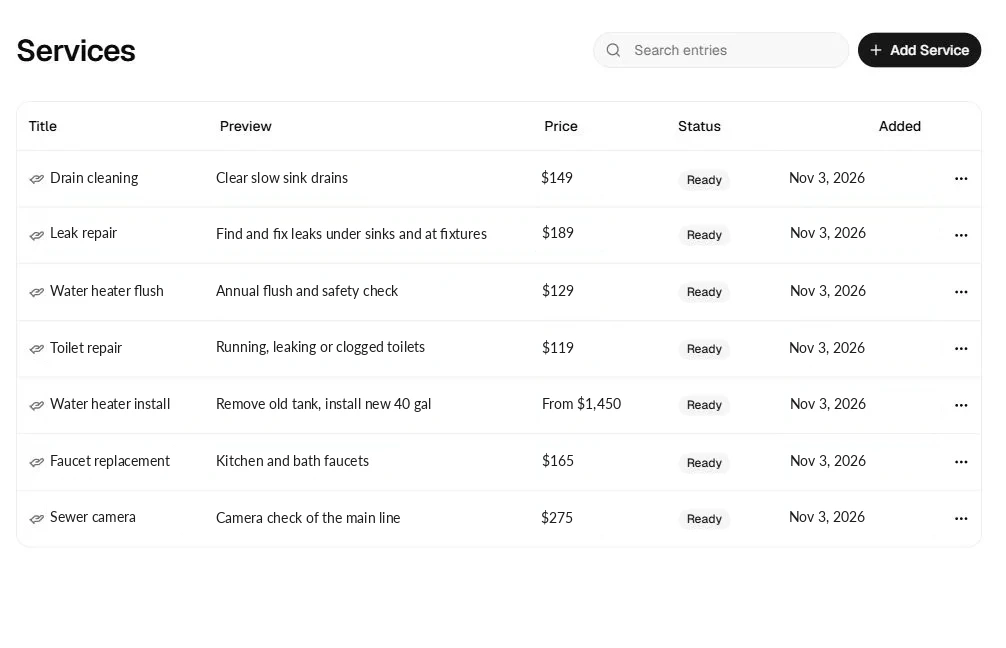
What lands on your desk.
A clear visit request
See the caller’s contact details, address, observation, and preferred timing alongside the appointment or callback task.
The call record
Review call outcomes and transcripts, plus recordings when enabled.
Tasks to follow up
See requests that need your team’s attention in the dashboard, then mark tasks complete when handled.
Questions owners ask
Straight answers about how it works on your line.
Can it book pest control visits?
Can I forward my existing business number?
Can my team get text alerts about new requests?
What if the address or request needs review?
Your next question.
 Back to Home servicesHome servicesRead more →The workflowService-area screening
Check the address first. Book within your service area or send an exception to your team.
Read more → The feature you set upAppointment booking
Let callers choose a service, check real availability, and book during the call.
Read more → Also in Home servicesResidential cleaning
Collect the details your owner needs to prepare a house cleaning quote.
Read more →Your pest control company can sound this good too.
Set up the service areas, intake questions, and visit calendar your team uses. Our Secretary can answer the call, collect the address and observation, and book when a configured slot is available.