


AI receptionist for pet groomers
Your grooming salon can sound this good too.
When the dryer is running and the phone rings, Our Secretary can ask a caller what service they need and how much their dog weighs. It uses your configured appointment types and durations to check the connected calendar, or takes a callback request when the service is not listed.


The service sets the appointment length
A small-dog bath and tidy may need a different block of time than a large-dog groom. Your receptionist asks about size and requested service, then checks the duration and availability you have set up.
One call, start to finish.
A fictional business and caller, so you can compare it with how your own line works today.
Bath and tidy booked
- Customer
- Mia Cole
- Pet size
- 18 lb
- Service
- Bath and tidy · 60 min
- Appointment
- Friday, 2:30 PM
- Callback number
- (407) 555-0142
The appointment length and available time come from Larkspur Grooming’s configured services and connected calendar.
How receptionist settings works →When a service isn’t on the list
If a caller asks for a service you haven’t configured, Our Secretary won’t guess at a service or appointment length. It collects their details and request, then creates a callback task for your team.
Review unlisted grooming request
- Caller
- Jamie Park · (407) 555-0186
- Request
- Hand-scissored pattern trim · miniature schnauzer
- Best time
- After 3 PM
Your rules. Your call.
Everything below lives in your dashboard. Change it any time, then place a test call before it goes live. How setup works →
- Add grooming services
Enter the services callers can book and the appointment duration for each. Our Secretary uses those options rather than guessing when someone requests a service.
- Set size-based options
Define how pet size maps to your appointment types and durations. Your receptionist can ask the caller for the dog’s size before checking availability.
- Connect your calendar
Connect Google Calendar, Cal.com, or an eligible paid Calendly account. Our Secretary checks real availability before offering a time.
- Choose callback details
Choose what information to collect for requests your team needs to review, such as the caller’s name, number, service request, and preferred time.
- Set call handling rules
Configure your greeting, hours, closures, and when to transfer a call. If the destination does not answer, Our Secretary can take a message and create a callback task.
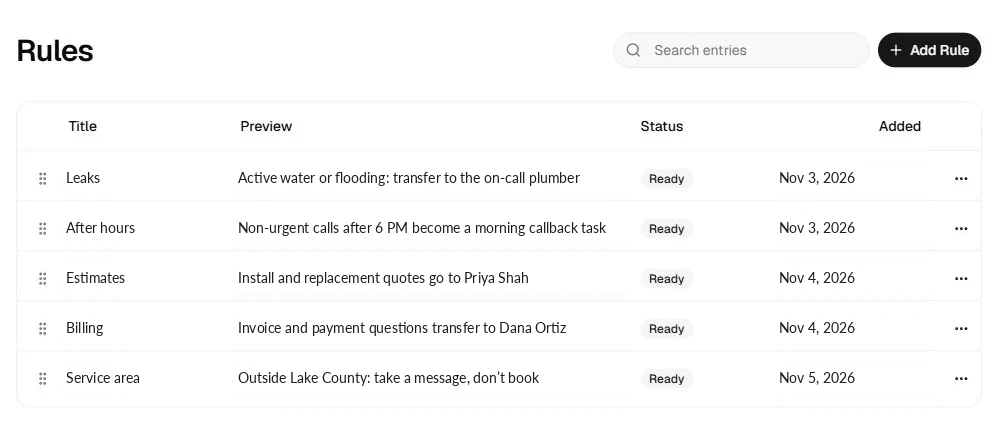
What lands on your desk.
Appointments with the right duration
See the selected service, pet size, configured appointment length, calendar time, and caller details.
Callback tasks for unlisted services
Review the caller’s request, contact details, and preferred callback time so your team can follow up.
A record of the call
Check call outcomes, transcripts, and recordings where enabled, along with appointments and tasks in the dashboard.
Questions owners ask
Straight answers about how it works on your line.
Can it choose the appointment length based on a dog’s size?
What happens if someone asks for a service I haven’t set up?
Does online booking require a connected calendar?
Can I use my current salon number?
Your next question.
 Back to Shops & studiosShops & studiosRead more →
 The workflowAppointment scheduling
Callers hear real openings, choose a time, and get a clear confirmation—or a callback path.
Read more → The feature you set upReceptionist settings
Set greetings, hours, services and call rules, then test your setup before it goes live.
Read more → Also in Shops & studiosMassage studios
A massage studio answering service that books by session, length and practitioner availability.
Read more →Your grooming salon can sound this good too.
Set up your services, size rules, and calendar, and let Our Secretary handle the next grooming call. Your team gets the booking—or a clear callback task when the request needs review.
