


AI phone answering
Every call, first ring, friendly voice.
When your team is on a job, Our Secretary can greet callers, find out why they’re calling, and answer routine questions from information you’ve approved. It books into your connected calendar when a configured service and real opening fit; if it can’t verify an answer, it takes details and creates a callback task.


A caller needs answers while your team is busy
A caller may need to know your hours, ask about a service, or book a time while your team is working. Our Secretary handles approved routine questions and identifies what the caller needs; when it cannot verify an answer, it takes a message instead of guessing.
One call, start to finish.
A fictional business and caller, so you can compare it with how your own line works today.
Faucet replacement · Thursday, 1:30 PM
- Caller
- Maya Chen · (407) 555-0142
- Service
- Kitchen faucet replacement
- Address
- 1842 Juniper Street
- Appointment
- Thursday at 1:30 PM
- Status
- Booked in connected calendar
This example assumes the listed hours and service are approved business information, and that the connected calendar has the Thursday opening.
See it in a real workflow: overflow answering →When a request needs your team
If a request falls outside the information you’ve approved, Our Secretary says it can’t verify the answer and takes a message. It creates a callback task with the caller’s details and request so your team can follow up.
Check custom brass fixture request
- Caller
- Eli Park · (407) 555-0186
- Request
- Asked about installing a custom brass fixture
- Address
- 72 Willow Lane
Your rules. Your call.
Everything below lives in your dashboard. Change it any time, then place a test call before it goes live. How setup works →
- Set the greeting and hours
Write the greeting callers hear and set your regular hours, closures, and call-handling rules.
- Add approved answers
Import information from your website or add details from documents and manual entries. Our Secretary uses this knowledge for routine questions.
- Define caller intent
Choose the services and details it should collect, such as the caller’s name, callback number, service need, address, and timing.
- Connect your calendar
Set service durations and staff assignments, then connect a calendar so it can check real availability before booking.
- Set the handoff rules
Choose when calls should transfer and where they should go. Set the message and callback path for requests it cannot answer.
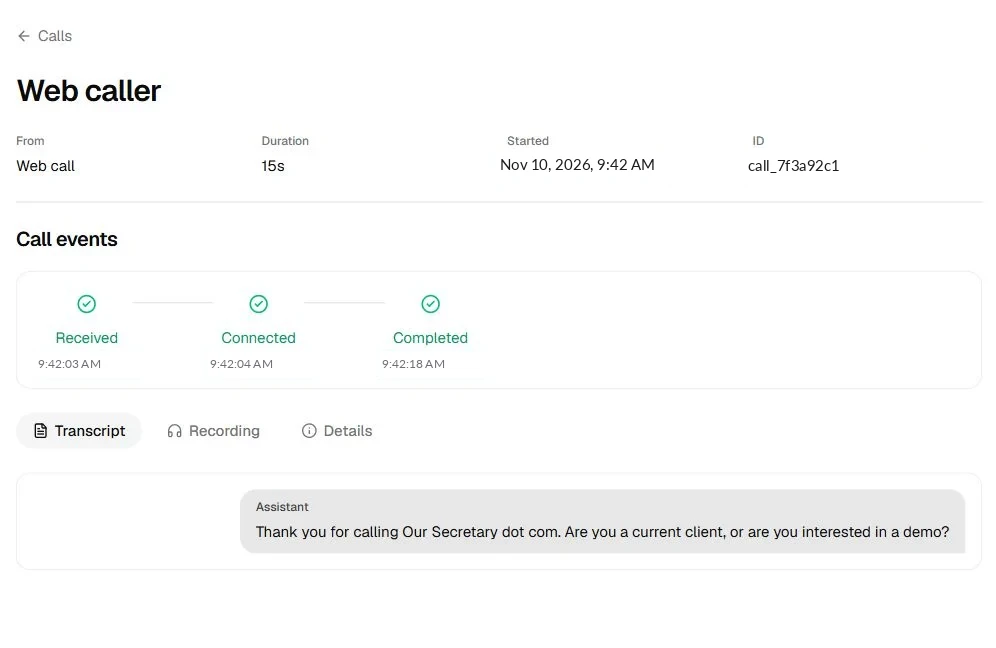
What lands on your desk.
A clear call record
Review the call outcome, transcript, and recording where recording is enabled.
Appointments and follow-ups
See booked appointments and callback tasks with the caller’s details and the reason for the call.
Alerts for your team
Receive email alerts. SMS text alerts are available where your package, carrier, and consent allow.
Questions owners ask
Straight answers about how it works on your line.
Can I keep my business phone number?
What happens when it doesn’t know an answer?
Can it book or transfer a call?
Can my team receive text alerts?
Your business can sound this good too.
Set the greeting, approved answers, and handoff rules that fit your business. Our Secretary can answer routine questions, book when a connected calendar has a suitable opening, and leave your team the context to follow up.
