


AI receptionist knowledge base
It sounds like it works there, because it learned your business.
Your callers ask the same practical questions: which towns you serve, what a visit includes, and when your office is open. Our Secretary builds answers from the website, documents, and notes your team approves, then takes a message instead of guessing when a detail is missing.


Routine answers should stay consistent
A caller may ask about your service area, hours, or what to expect before booking. If the answer is not in your approved business knowledge, Our Secretary takes a message and gives your team the context instead of guessing.
One call, start to finish.
A fictional business and caller, so you can compare it with how your own line works today.
Kitchen faucet installation inquiry
- Caller
- Maya Chen
- Callback
- (407) 555-0142
- Service
- Kitchen faucet installation
- Address
- 1842 Willow Bend Drive
The service-area answer came from approved business information. The callback task gives your team the caller’s request and details.
See it in a real workflow: answer routine questions →When a detail is not verified
If the answer is missing or unclear in the approved knowledge, Our Secretary does not fill in the blanks. It can take the caller’s details and create a callback task for your team to review.
Check faucet cartridge availability
- Caller
- Evan Brooks
- Callback
- (407) 555-0186
- Needs review
- Verify replacement cartridge stock
Your rules. Your call.
Everything below lives in your dashboard. Change it any time, then place a test call before it goes live. How setup works →
- Import website content
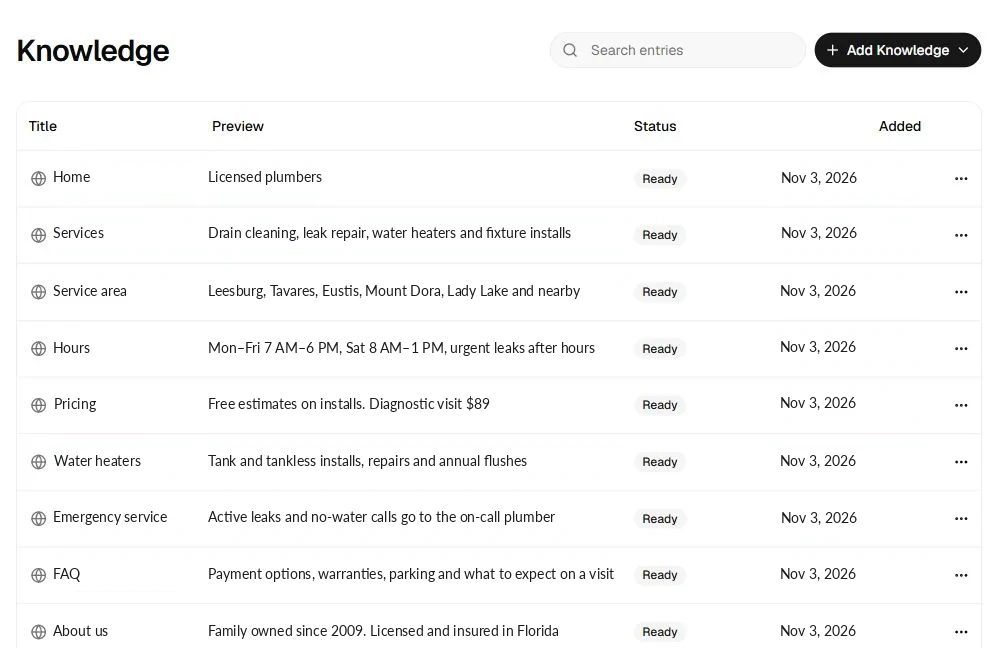
Bring in the pages with your hours, service area, and routine business details. Your team can review the information before relying on it for calls.
- Add business documents
Provide documents with approved service descriptions or other routine answers. Keep the material clear and current.
- Write manual entries
Add a direct answer when a detail is not on your website or in a document. Use the wording your team wants callers to hear.
- Review and update details
Your team can check the information Our Secretary uses and update the source material when hours, services, or policies change.
- Set the handoff rule
Choose what happens when a caller asks something the approved knowledge does not answer. Our Secretary can take a message and create a callback task with context.
What lands on your desk.
The caller’s question
Call history includes the outcome, transcript, and recording where enabled, so your team can review what was asked and answered.
A useful callback task
When an answer needs staff review, the task carries the caller’s details and the reason for the follow-up.
Details to keep current
Your team can review and update the website content, documents, and manual entries used for routine answers.
Questions owners ask
Straight answers about how it works on your line.
Can Our Secretary answer from our website and documents?
What happens if the answer is not in the knowledge base?
Does the knowledge base book appointments too?
What do we need for call forwarding and text alerts?

Your business can sound this good too.
Give routine answers a source your team can review and keep current. When the right answer is not there, Our Secretary gives the question back to your team with the caller’s details.
